Cozi Free vs. Gold

Hit Cozi's 30-day calendar limit?

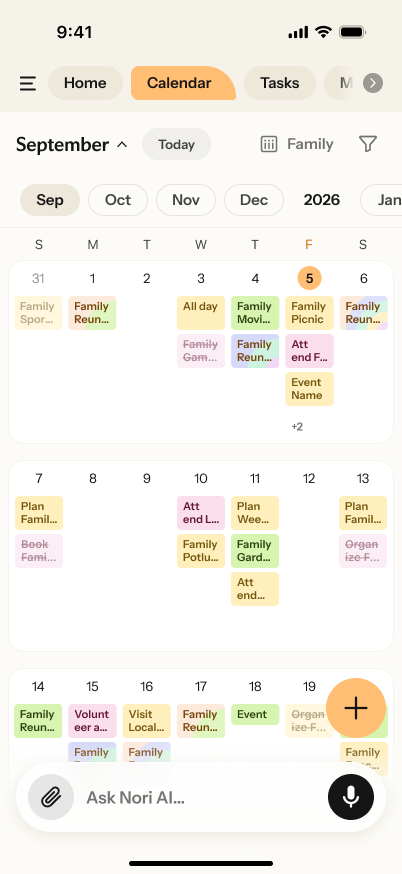
Nori includes the full month view, future planning, widgets, and two-way calendar sync for free. Move your shared family calendar for $0, then use optional AI only when you want help organizing emails, photos, PDFs, links, and voice notes.

Nori's free full month family calendar view
Move from Cozi
Free forever
$0 Nori Free

Full month view · Ad-free · Widgets · Two-way sync

Is Cozi free?

Yes, with limits. Cozi Free includes a shared family calendar, to-do and shopping lists, and recipes. Planning beyond 30 days, full month view, ad-free use, and widgets require Gold. Nori includes those calendar essentials in its free plan.

Cozi Free vs. Nori Free

Cozi Free vs. Gold: what changes when you pay?

Features
Cozi Free $0
Cozi Gold $39/yr
Nori Free $0 No subscription
Plan beyond 30 days
Full month view
Ad-free
Widgets
Two-way calendar sync
Family calendar, tasks & lists
Included Not included 30-day future planning limit

Selected migration-relevant features only. Cozi Gold was listed at $39/year on public cozi.com pages reviewed August 13, 2026. Prices and features may change.

After the move

Move the calendar. Then stop retyping the rest.

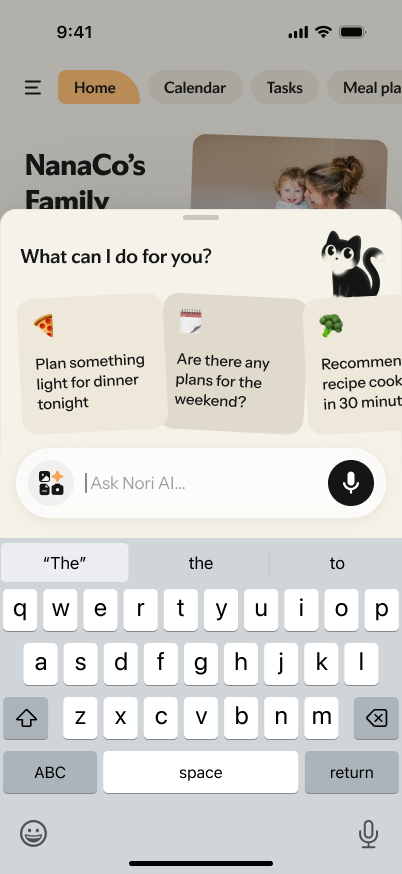
Once your Cozi calendar is connected, Nori becomes the family organizer for everything that arrives outside the calendar. Optional AI turns emails, photos, screenshots, PDFs, links, and voice notes into clear events and to-dos; the shared family calendar itself stays free.

Email Photos Screenshots PDFs Links Voice

Forward it. Nori finds what matters.

Dates, deadlines, places, and to-dos become calendar events and assigned tasks — without retyping the whole message.

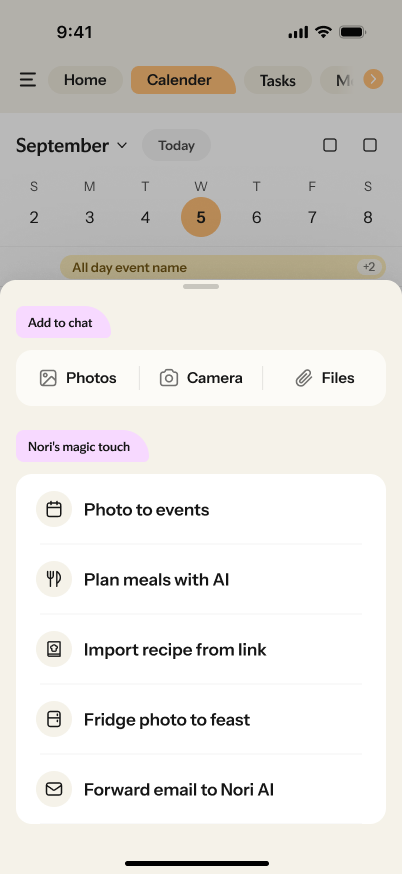
Nori options for adding photos, camera images, files, recipe links, and forwarded email

Flyers and files get lost.

Share it once. Nori makes the plan.

Photos, screenshots, PDFs, and links can become events, tasks, recipes, meal plans, and shopping-list items.
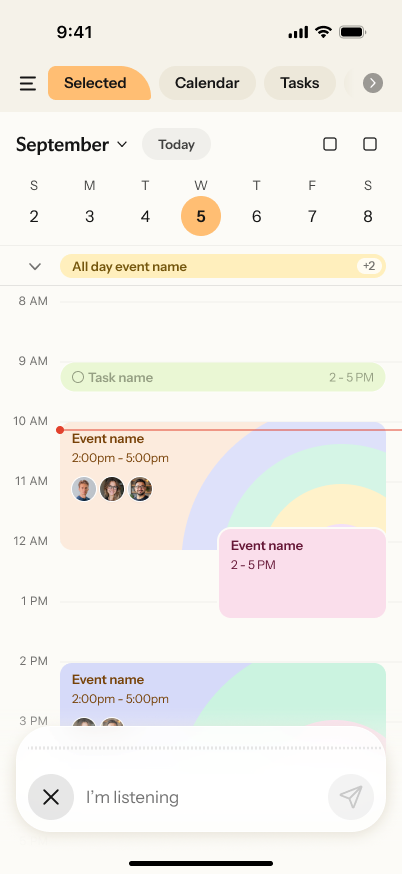
Nori listening to a voice request over the family calendar

Too much to type.

Say it once. Nori creates the work.

“Emma has piano Wednesday and a book report due Friday.” Nori creates the events and tasks, with reminders and the right owner.

Free Cozi migration

Move your Cozi calendar in three steps.

The whole move is free. Nothing is deleted, and you don't have to switch all at once. Connect your existing calendar first, then let your family settle into Nori.
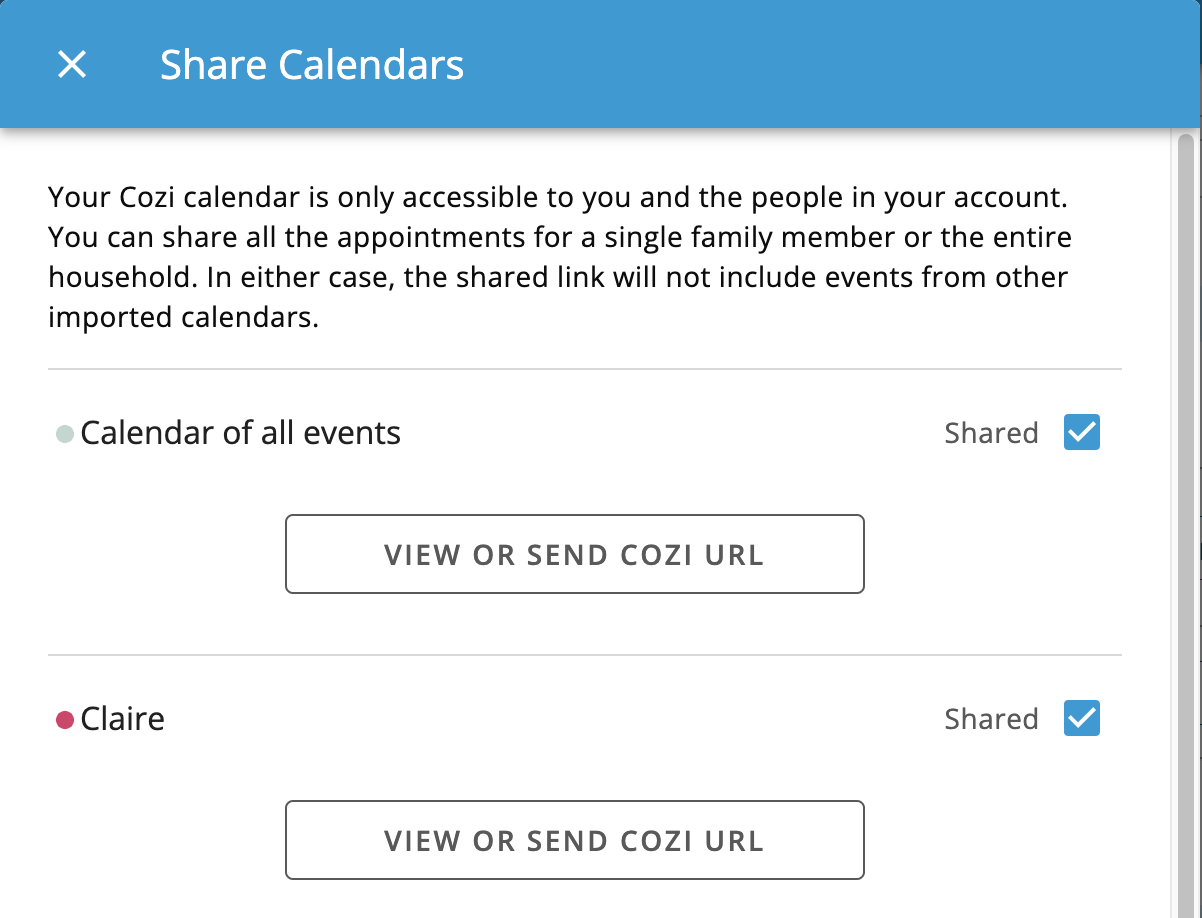
Cozi Share Calendars screen with the View or Send Cozi URL button

Export your Cozi calendar

In Cozi, go to Settings → Shared Cozi Calendars → switch the calendar to Shared → choose VIEW OR SEND COZI URL → copy the link.
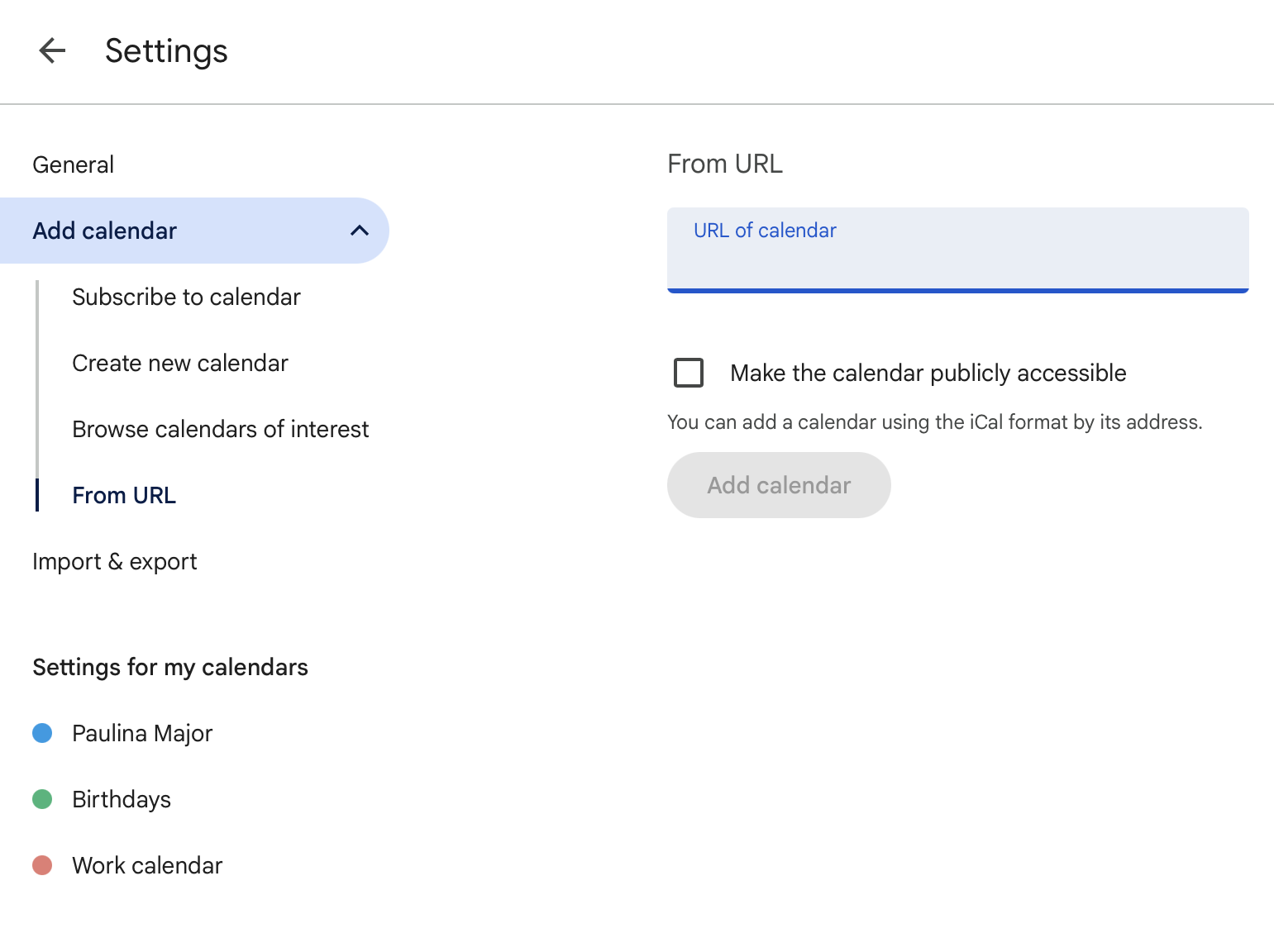
Google Calendar settings with From URL selected and the calendar URL field visible

Add it to Google Calendar

Open Google Calendar on the web → click + next to “Other calendars” → choose “From URL” → paste the link → Add.
Timing note: First sync can take a few hours. That's normal — it's Google's schedule, not an error.
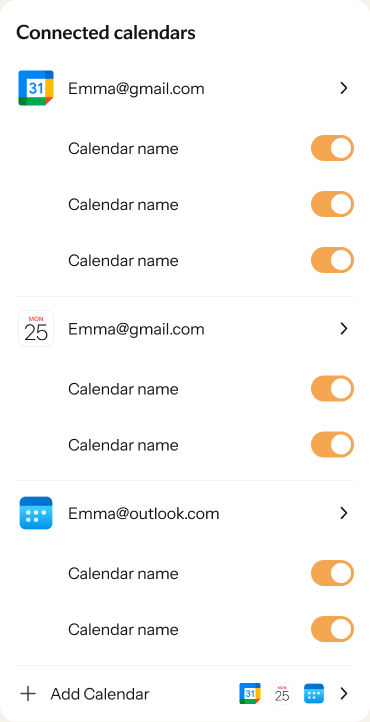
Connected calendars screen in Nori

Connect Google Calendar in Nori

Open Nori → Settings → Connect calendar → choose Google → authorize. Your family's schedule shows up in Nori.

Cozi pricing & migration FAQ

Quick answers before you switch.

Is Cozi free?
Yes. Cozi Free includes a shared family calendar, to-do and shopping lists, and a recipe library. Planning beyond 30 days, full month view, ad-free use, and widgets require Cozi Gold.
How much does Cozi Gold cost?
Cozi's public pricing information reviewed August 13, 2026 listed Cozi Gold at $39 per year. Pricing may change, so confirm it on Cozi before purchasing.
What is included in Cozi Free?
Cozi Free includes the shared family calendar, to-do and shopping lists, and recipe library. The comparison above focuses on the calendar features most relevant to families deciding whether to upgrade or move.
Does Cozi Free limit the calendar to 30 days?
Cozi Free limits future calendar planning to the next 30 days and does not include the full month view. Those features are included with Cozi Gold.
Is there a free shared family calendar alternative to Cozi?
Nori Free includes a shared family calendar, full month view, future planning, widgets, tasks, meal plans, recipes, shopping lists, family sharing, and two-way Google, Outlook, and Apple calendar connections. AI is optional and includes 10 free lifetime actions.
Can I export or share my Cozi calendar?
Yes. In Cozi, open Settings → Shared Cozi Calendars, set the calendar to Shared, choose VIEW OR SEND COZI URL, and copy the calendar feed link. Add that link to Google Calendar, then connect Google Calendar in Nori.
Will I lose my Cozi data if I try Nori?
No. The calendar-feed connection leaves your original data in Cozi, so you can run both apps side by side. The Cozi → Nori connection is one-way; events created in Nori do not write back to Cozi.

Your family's schedule shouldn't expire after 30 days.